Trolling,
Dialed In.
A Trolling Depth Calculator For Your Setup.
Choose your lure, line, speed, and target depth. Depth Vector calculates how much line to let out, with adjustments for your reel and boat.
Save the rod once. Change the target on your next pass, manage the spread, and record which setups caught fish.
Built Around Your Setup
Your Boat. Your Reel. Your Rod.
Three measurements that can put your lure several feet closer to your target. Combine them with depth curves, speed adjustments, and saved rods for a setup you can repeat.
- Your Boat
- Enter your transducer's depth below the surface if your sonar measures from the transducer. If your sonar already reads from the surface, use zero.
- Your Reel
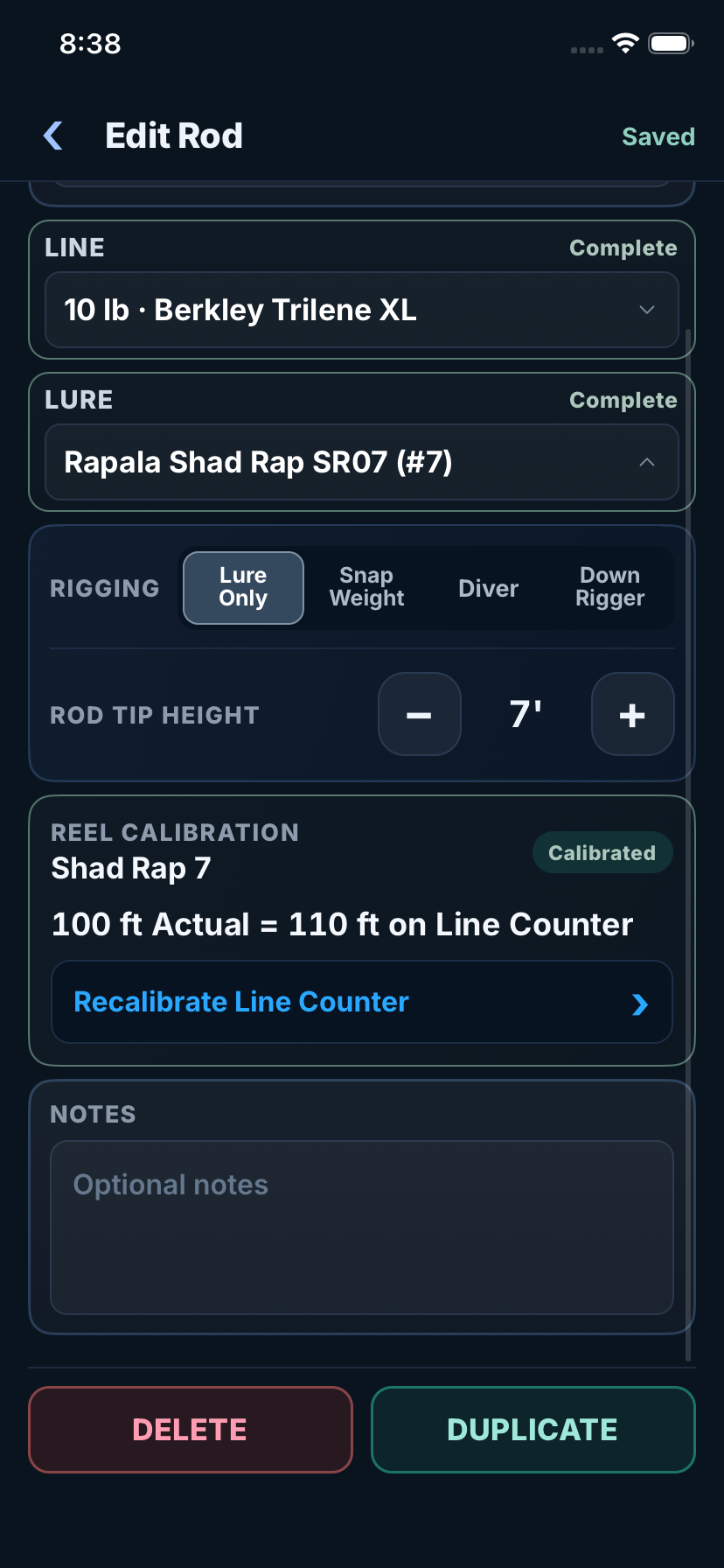
- Calibrate your reel by measuring 100 feet of line and entering what your counter reads. The app adjusts the line out setting for that reel.
- Your Rod
- Enter your rod tip height above the water. The app accounts for line in the air as well as line underwater.
The app uses the measurements that apply to your rig. Current, turns, and conditions still affect actual depth.
See How To Set Your MeasurementsSee The Numbers
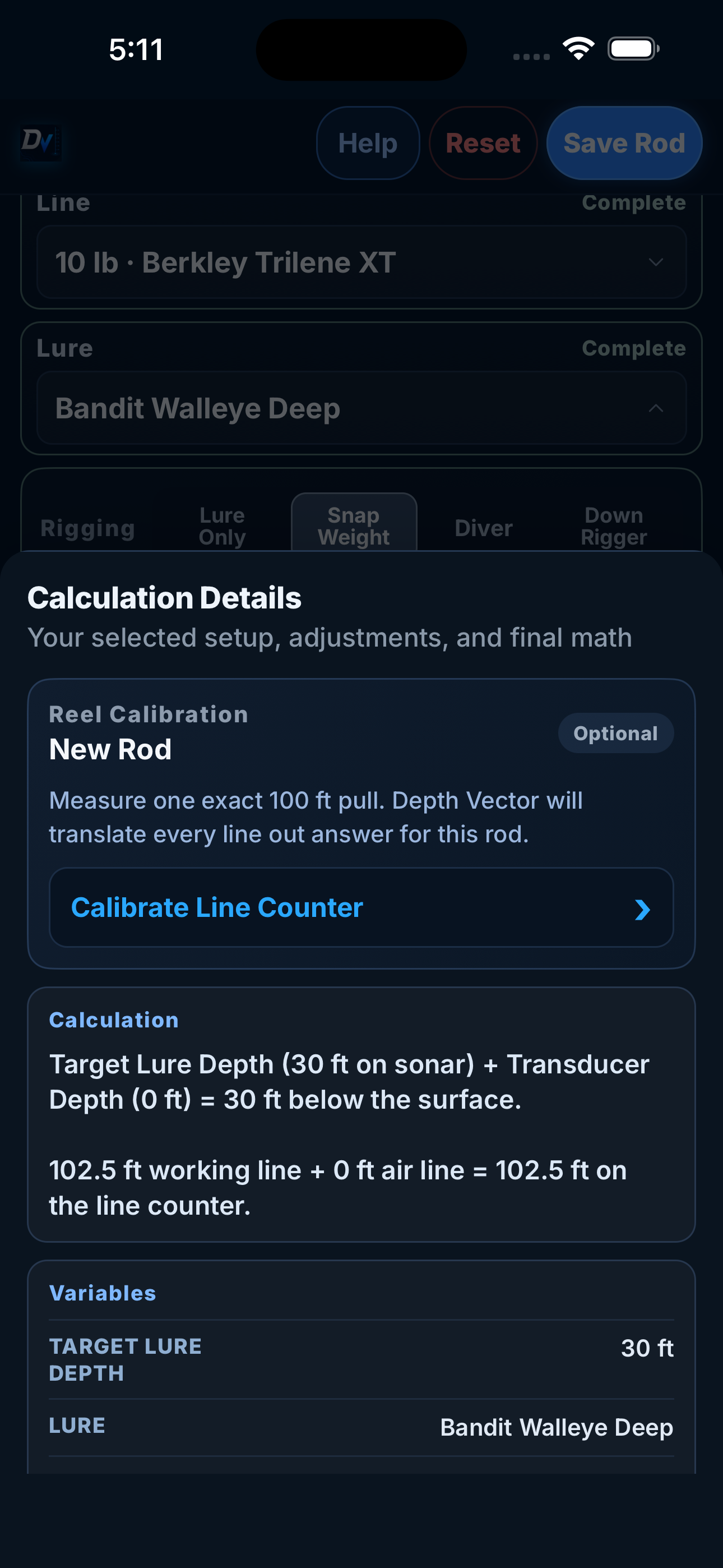
How Much Line For A 30 Foot Target?
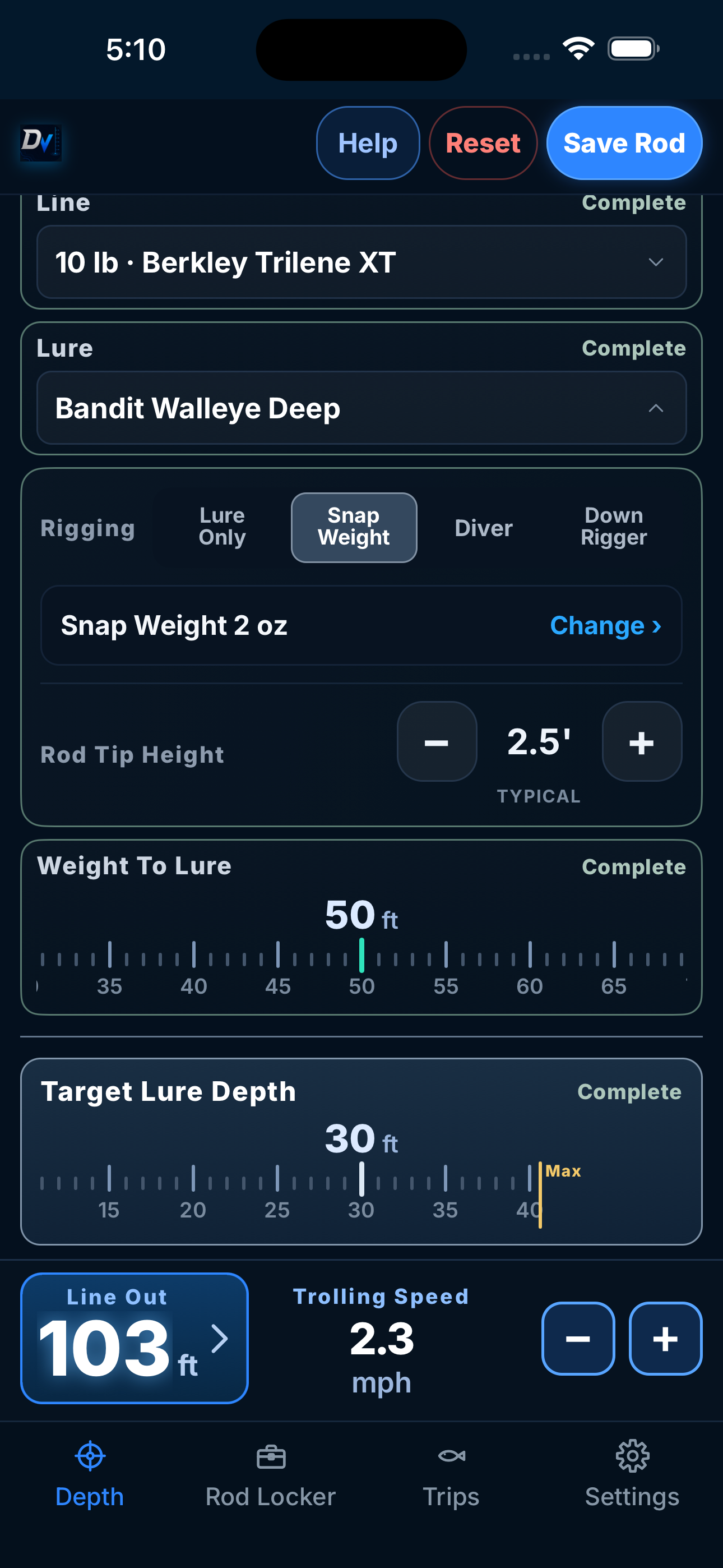
The snap weight setup on the screen above, explained in feet of line.
- Lure
- Bandit Walleye Deep
- Line
- 10 pound Berkley Trilene XT
- Snap Weight
- 2 ounces, 50 feet ahead of the lure
- Speed And Target
- 2.3 mph, 30 feet deep
The Calculated Counter Setting
103 Feet
- 50 FeetAttach The Weight
- 103 FeetStop The Counter Here
Let out 50 feet, attach the weight, then continue to 103. Keep the counter running when you add the weight.
This is the calculated setting for the pictured setup. It includes that rod's saved measurements and is not a measured depth result.
At 2.3 mph, this calculation uses a modeled extension beyond the snap weight reference chart's 1 to 2 mph range.
See The Full Setup And LimitsMake It Yours
Start With The
Reel You Fish.
Spool fill and line diameter affect a reel counter. Measure 100 feet, save what the counter reads, and Depth Vector adjusts the setting for that rod. Recheck it after changing line or spool fill.
Depth Vector remembers the difference with that rod.
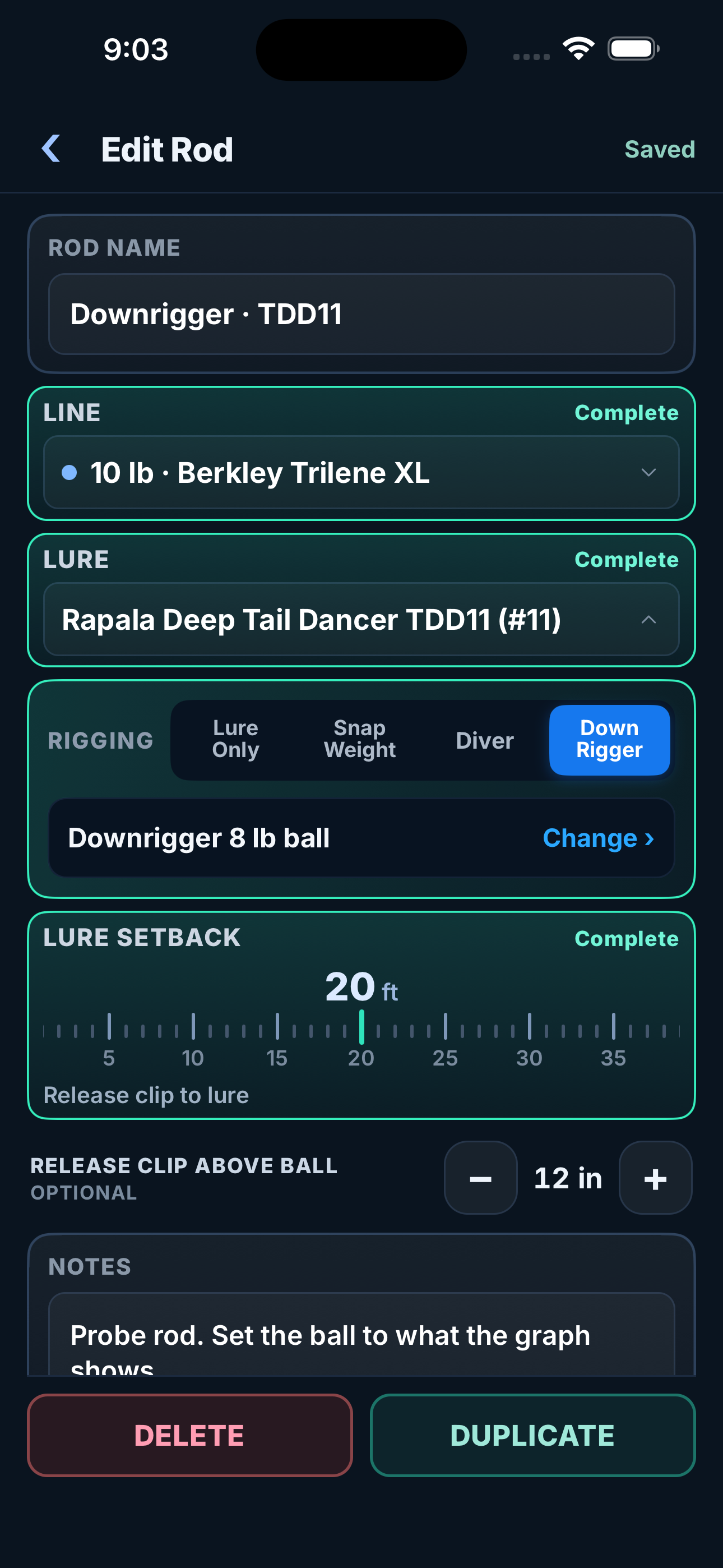
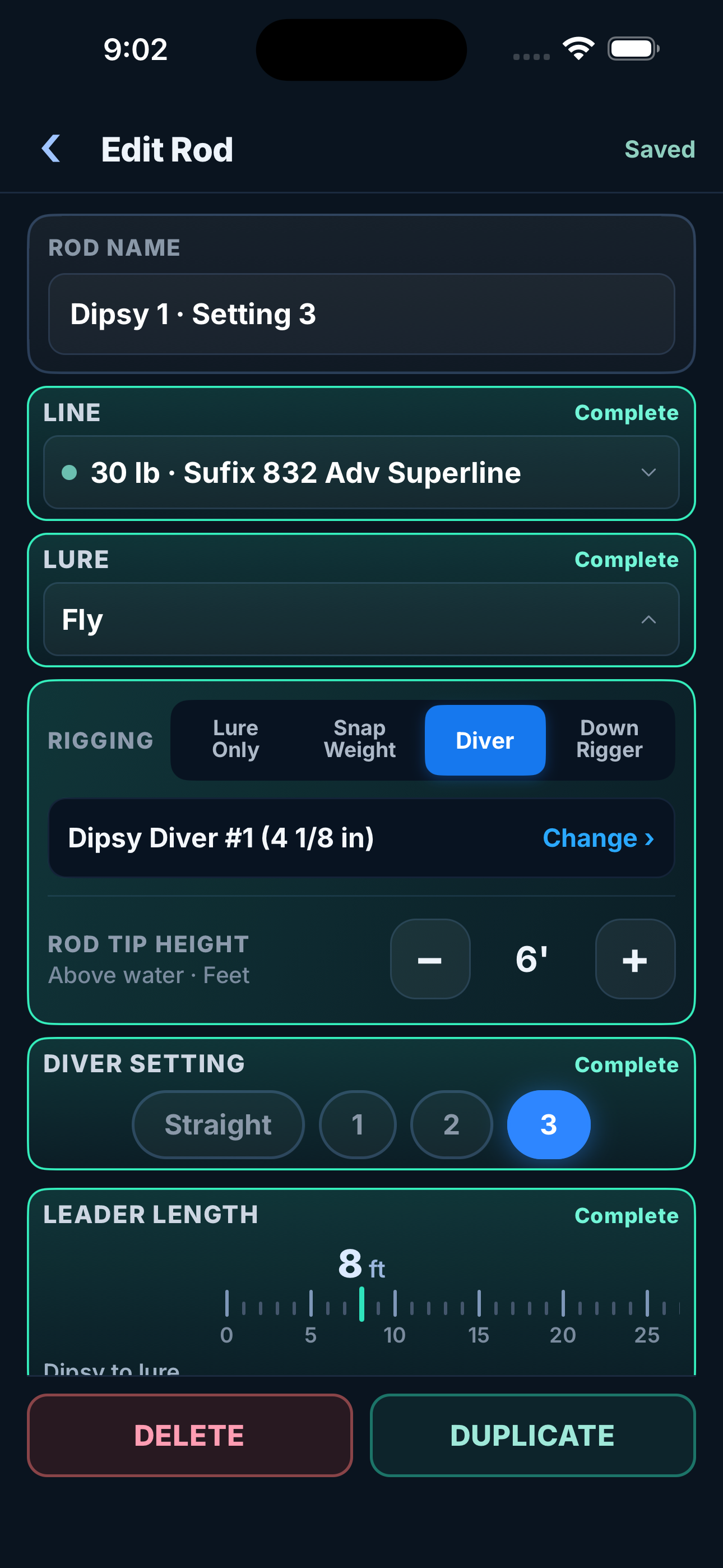
Save the bare line, leadcore, copper, downrigger, and Dipsy setups you actually run.
Keep The Setup.
Learn From The Trip.
From the rods you save to the fish you log, keep the details together.
Ready For The Next Pass.
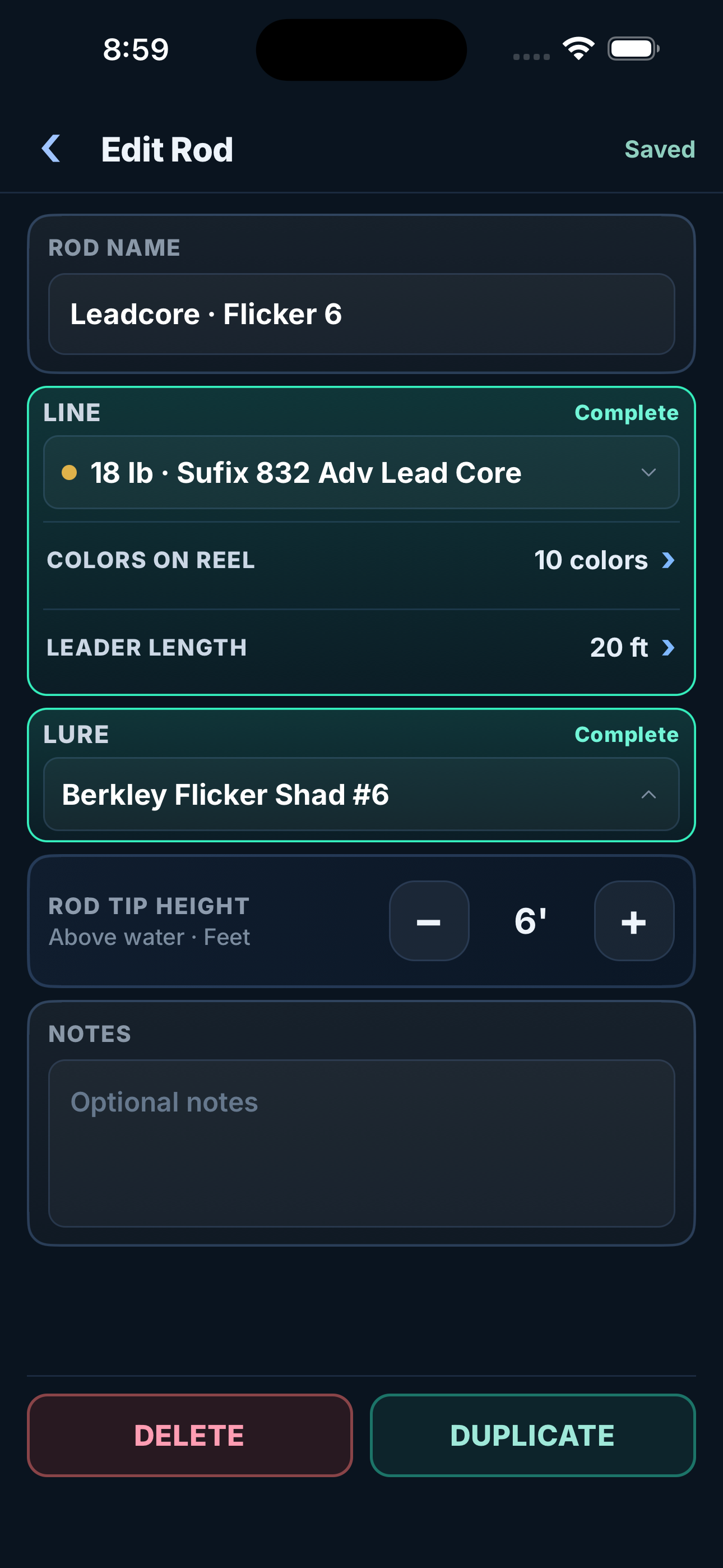
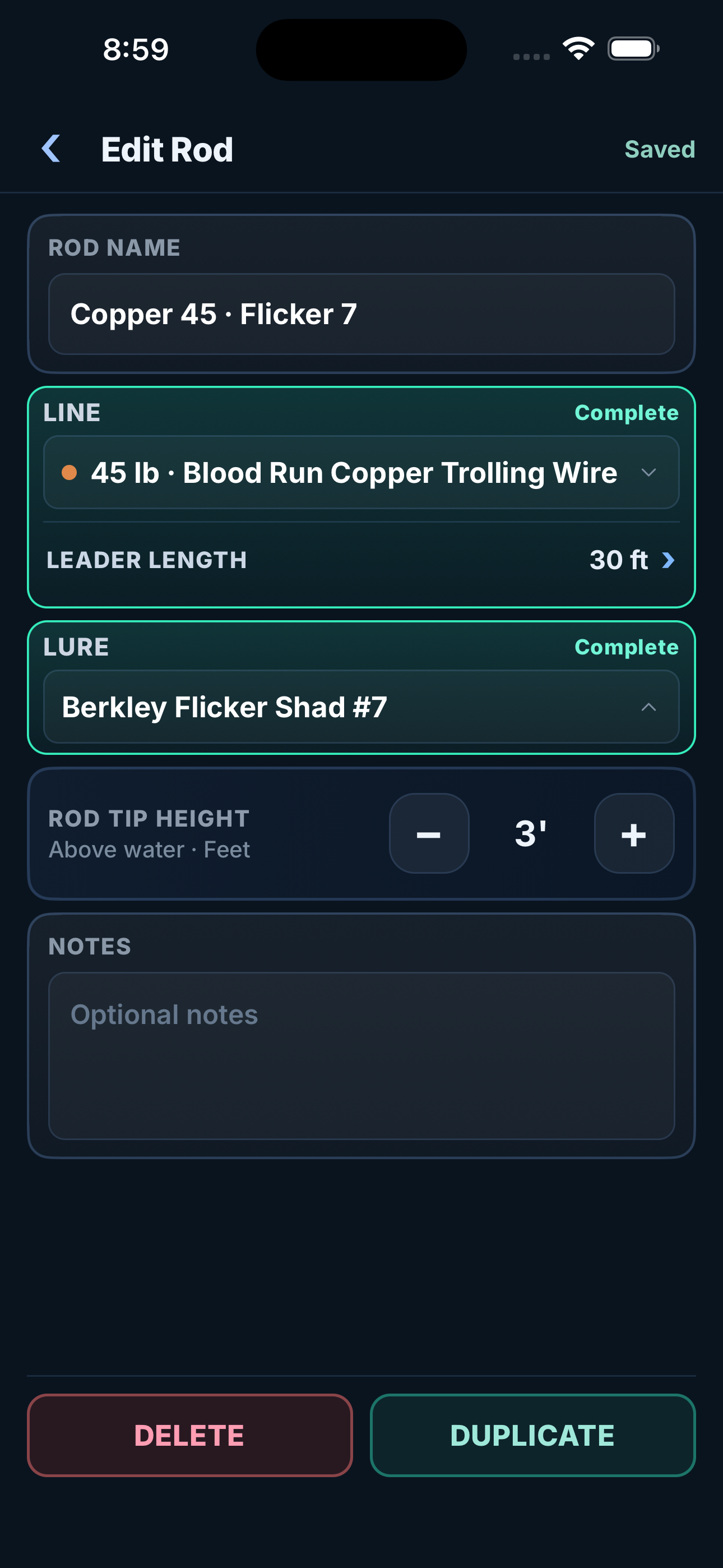
Keep the line, lure, rigging, measurements, and reel calibration with the rod.
Next time out, load it, pick a new target depth, and get the new line out without building the setup again.
See How To Save Your First Rod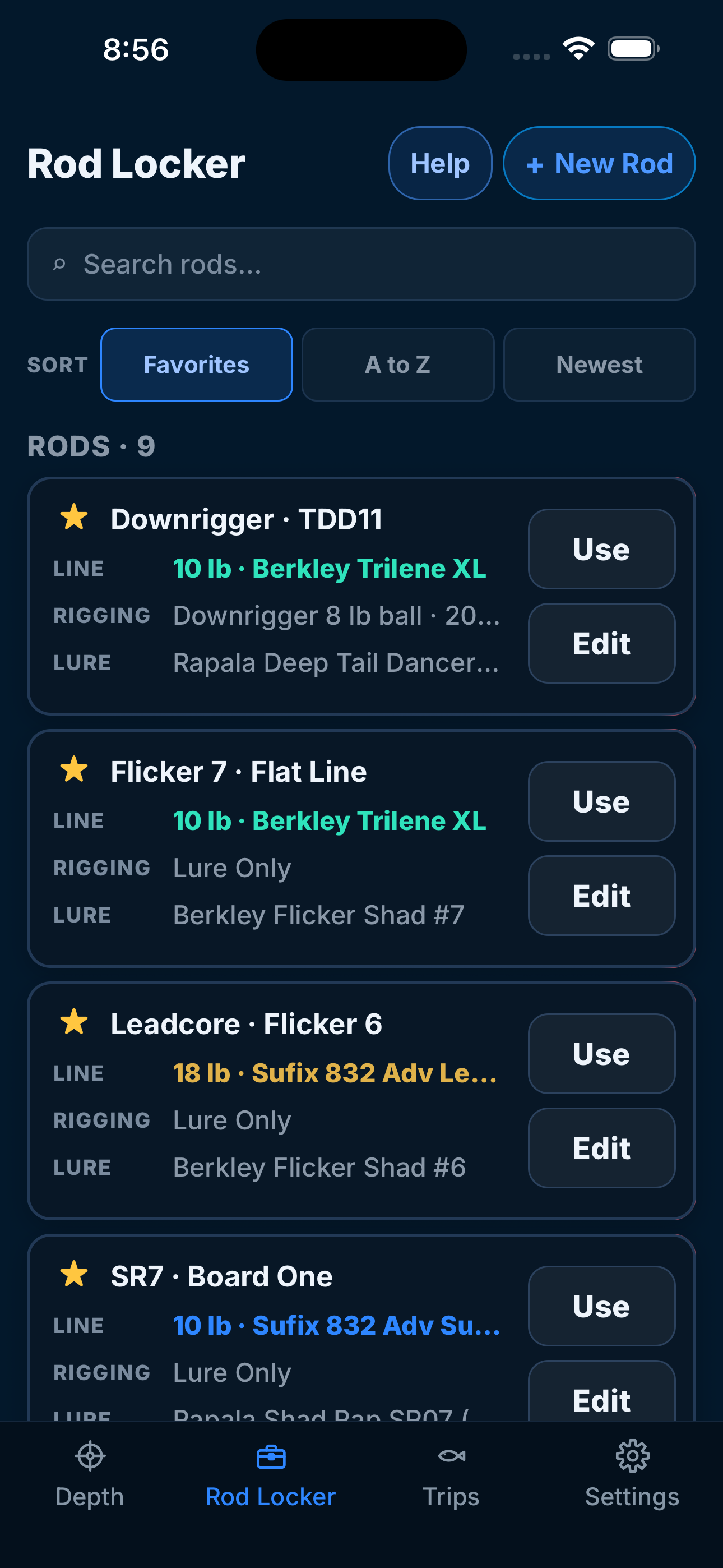
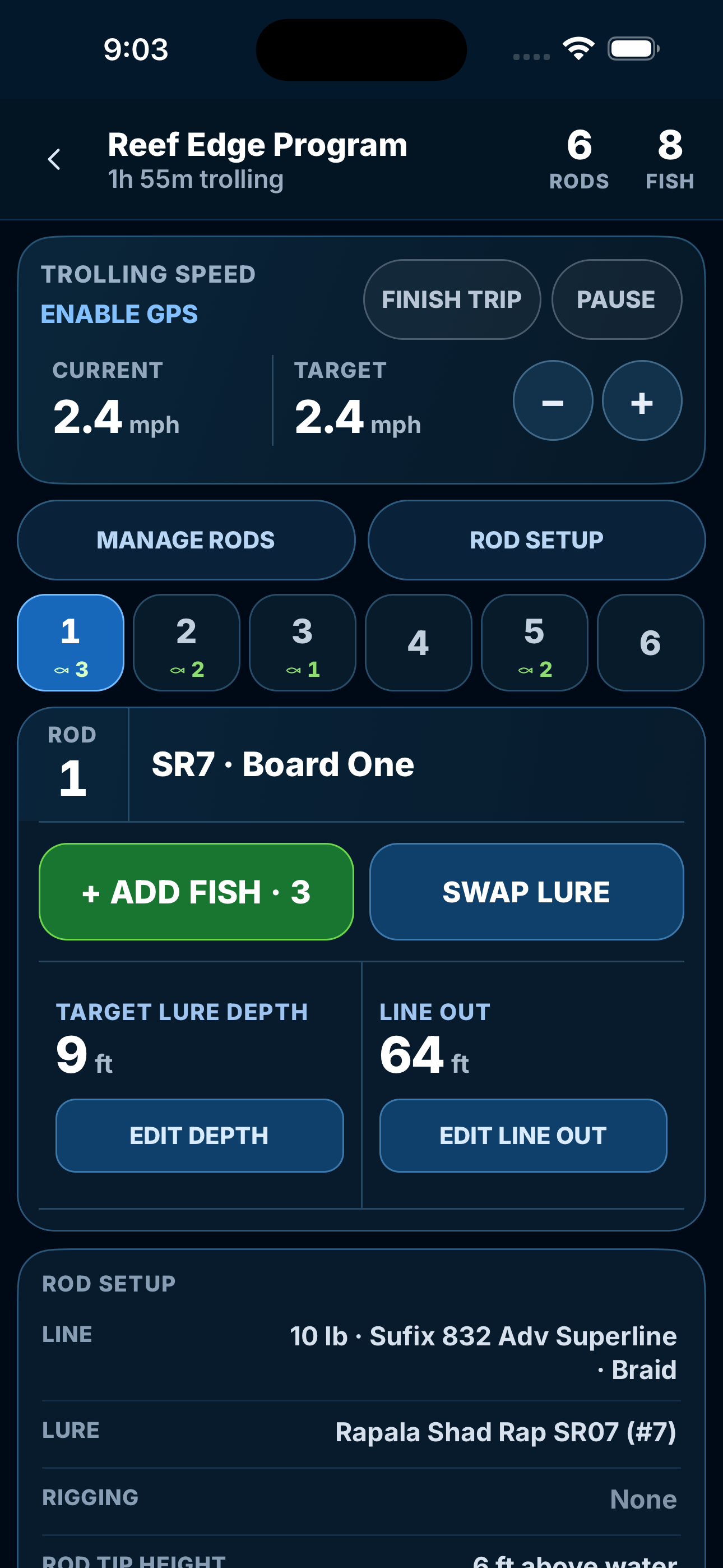
Every Rod In The Spread.
Load the rods you are fishing, see what every one is running, change a target, swap a lure, and log a fish without losing the setup.
Keep the catch with the rod that produced it.
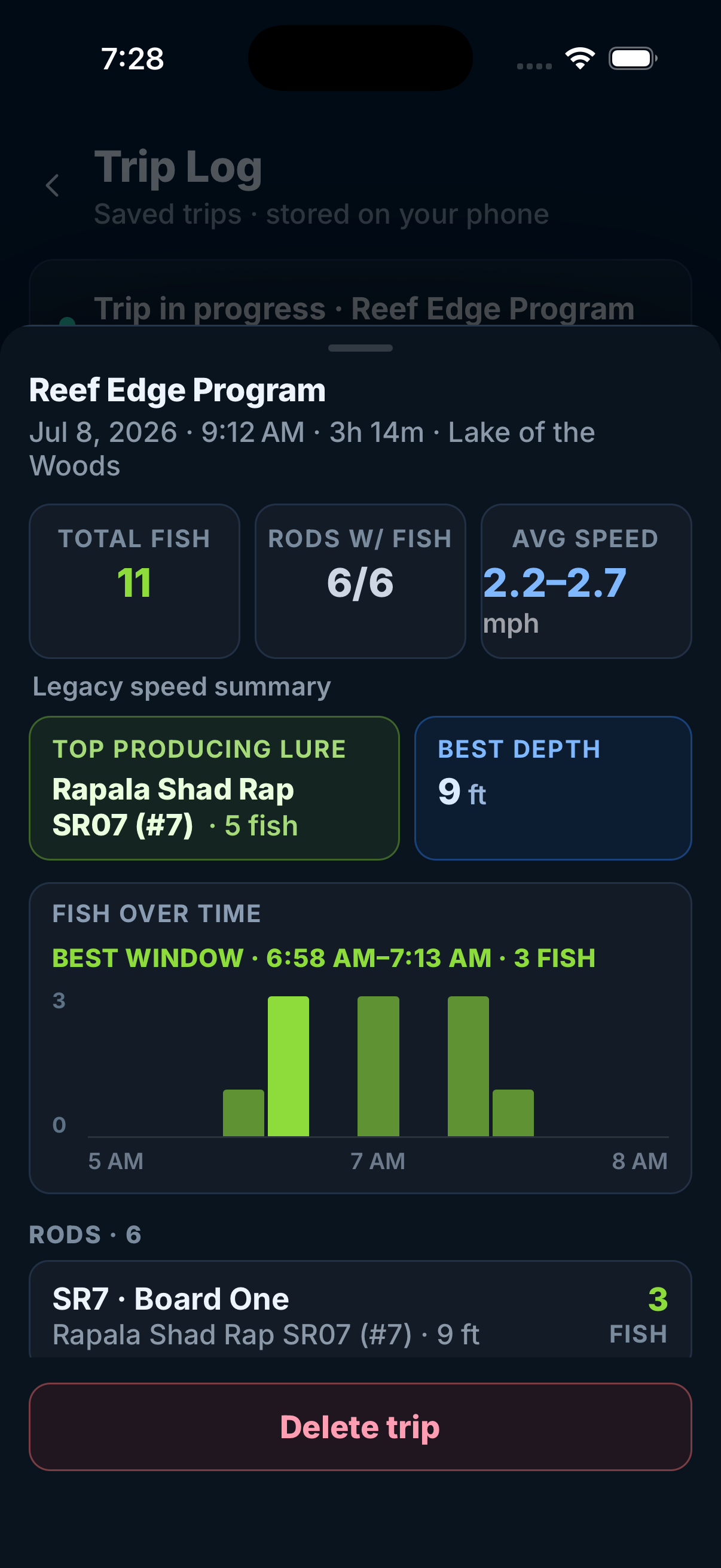
Remember What Worked.
At the end of the trip, review catches by rod and lure. You can see which setups produced fish and keep those details for next time.
Does It Fit The Way You Troll?
Use it to work out line out for a target depth, or check the calculated running depth of a setup you already fish.
- Your Rig
- Bare line, snap weights, leadcore, copper, downriggers, and Dipsy divers. Browse The Rig Instructions
- Your Lure And Line
- Choose the actual brand, model, and size in the app. If a lure is missing, you can add a custom entry using its known running depths and length. Read About Custom Lures
- Your Measurements
- Save reel calibration, transducer depth, and rod tip height. The app applies the measurements relevant to your rig. Check Your Reel Counter
14 Days Of Full Access, Then Freemium
A supported rig does not mean every lure or configuration has been measured. Custom lure inputs and conditions on the water affect the result.
Know What Is Behind The Number
How We Build The Calculations
We test trolling setups on the water and repeat the passes. We combine those observations with equipment references and your setup measurements.
Read The Calculation MethodSee What Went Into Your Result
Tap a result to open Calculation Details. Check the gear, measurements, and adjustments behind the answer.
Current, turns, waves, and weeds can change actual depth. Use the result as a starting setting and adjust as you fish.
From Our Family To Your Boat
Who We Are
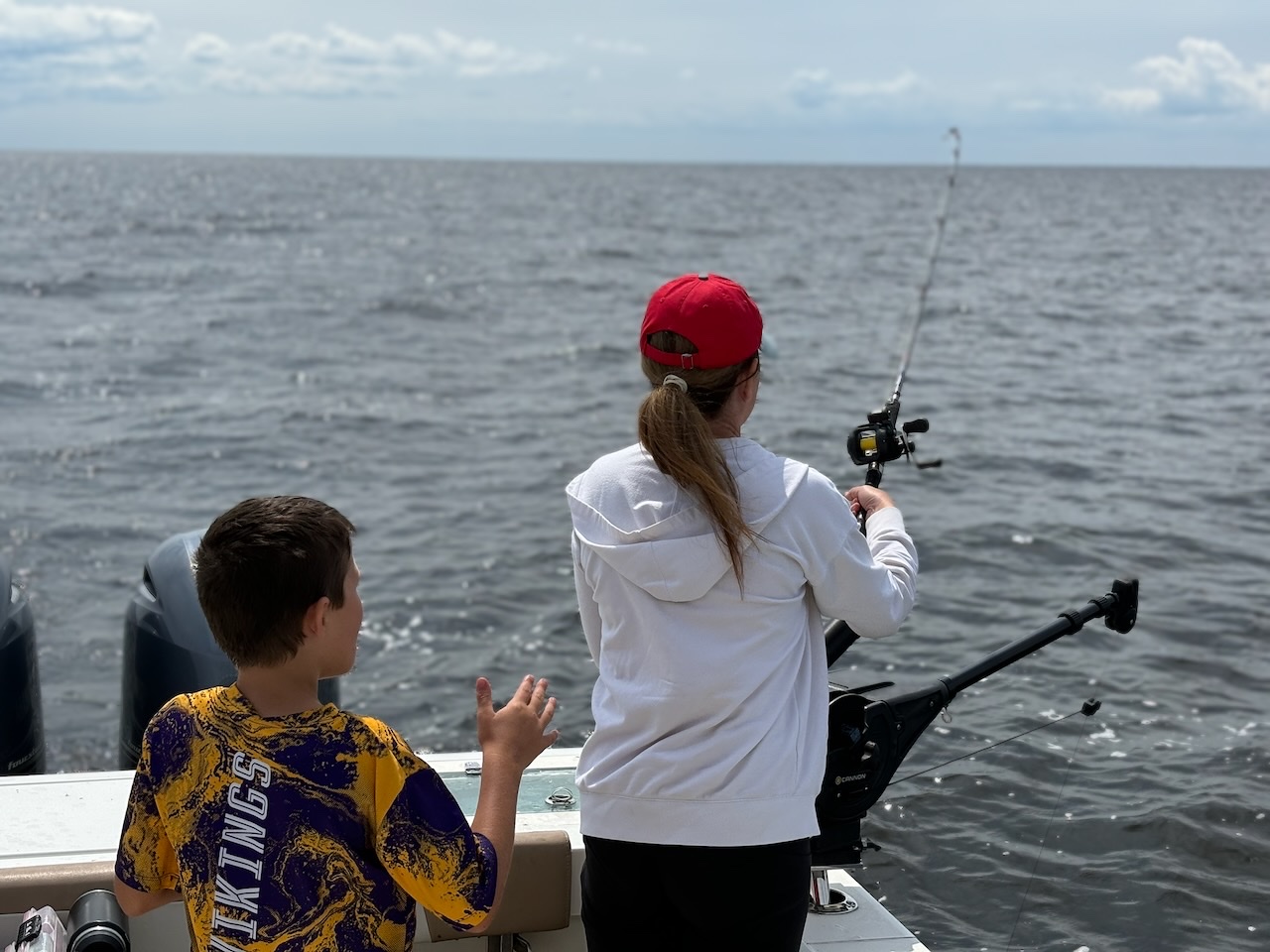
We’re Tony and Cody Klein, the father and son team behind Klein Outdoors, LLC and Depth Vector. On the drive home from a fishing trip in Ontario, we kept coming back to one question: were our lures actually where we thought they were?
That question led to days on the water testing, nights and weekends building, and a shared effort to help other anglers adjust with confidence.
Read Our StoryBefore You Download
Will It Tell Me My Lure's Actual Depth?
It calculates depth from your selected gear, measurements, and speed. It does not measure the lure underwater while you fish. Current, turns, and tackle condition can change actual depth.
What If My Lure Is Missing?
You can create a custom lure with its name, shallow and deep running depths, and length. Use known information for that lure. A custom name alone does not establish a dive curve. See The Lure Instructions
What Needs An Internet Connection?
Online services, including purchase verification and weather, need a connection. Rods, spreads, trips, and settings are stored on your device. Read The Access And Storage Details
What Happens After The Free Trial?
You get 14 days of full access. Then the app switches to freemium, with your saved records retained. The trial ends without a charge. See What Stays Free
Who Is Behind Depth Vector?
We’re Tony and Cody Klein, the father and son team behind Klein Outdoors, LLC, based in Minnesota. We’re combining our experience in technology and fishing to build Depth Vector. Read Our Story
Get Your First Rod Set Up
The guide walks through line, lure, speed, and target depth, then shows how to save the rod and use it on a trip.
Coming Soon For Apple And Android
Try every feature for 14 days. After the trial, the app switches to freemium and your saved records remain.
Full Access For 14 Days
The trial ends without a charge. Paid access is a separate choice.
What Stays Free?
Build and save rods, set up your gear, and use trips. The result box for finding line out, lead out, or ball depth requires an active trial or paid access.
The store shows the price and purchase terms before you confirm paid access. Read The Trial And Purchase Terms